
Important Information
Check out our policies!
Don’t forget to read our Maker Machine and Glowforge Laser Cutter policies!
MAKER MACHINE POLICY
GLOWFORGE LASER CUTTER POLICY
Need a refresher?
Go through our orientation presentation at your leisure!
LINK TO POWERPOINT
Quick Start Guide
Using the Glowforge is as easy as 1, 2, 3! Here’s a quick start guide to help you out!
QUICK START GUIDE
Orientation & Reservations
Beanstack
Save time before your orientation and register for Beanstack today!
Already registered? Use this link to view your earned badges and make reservations.
BEANSTACK
Orientation
You must attend a Glowforge Laser Cutter Orientation prior to making an appointment for the machine.
UPCOMING ORIENTATIONS
Reserve a time
After attending an orientation, you can start making reservations. Happy Making!
RESERVATIONS
Resources
Learn with Glowforge
Can’t figure it out? Check out the Glowforge Help & Learning Center!
GLOWFORGE HELP & LEARNING CENTER
Designing from Scratch in the Glowforge App
Step-by-step instructions for using the Glowforge app!
START WATCHING NOW
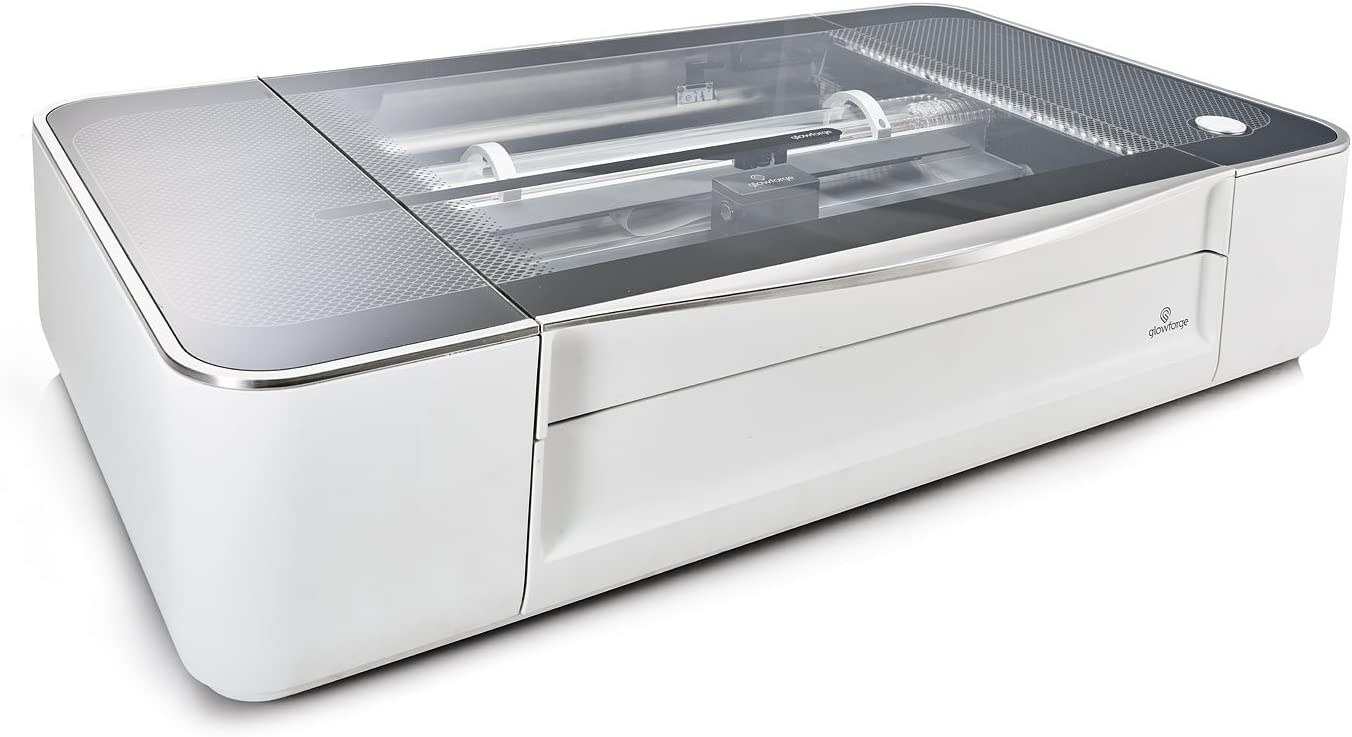
Equipment Specifications:
- 40-watt CO2 laser
- Cutting & engraving area: 19.5" by 11"
- Max material height: 2” (50 mm)
What materials can I use?
You are expected to provide your own materials. Here are some examples of items that can be used:
- Wood
- Fabric
- Paper
- Plexiglas (acrylic)
- Mylar
- Rubber
- Glass
- Marble
- Titanium
- Ceramic Tile
Please see Laser Cutter Policy for a complete list of approved items.